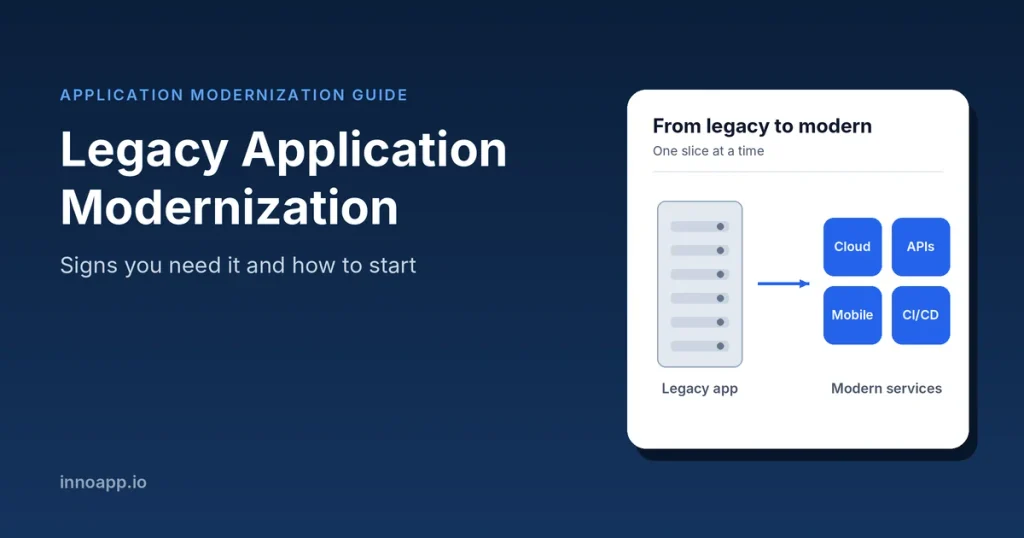
What is legacy application modernization?
Legacy application modernization is the process of updating outdated software (its code, architecture, infrastructure or all three) so it runs on modern platforms, meets current security standards and is easier to change. It can be as light as moving an app to the cloud unchanged, or as deep as rebuilding it from scratch.
Age alone does not make an application legacy. A system becomes legacy when it starts holding the business back. Common traits include:
- Built on outdated languages or frameworks, such as COBOL, Visual Basic 6 or an old version of .NET Framework or Java
- Running on an operating system, database or hardware the vendor no longer supports
- One large codebase (a monolith) where a small change can break something unrelated
- Little documentation and few or no automated tests
- Hard to connect with modern tools, APIs, mobile apps or cloud services
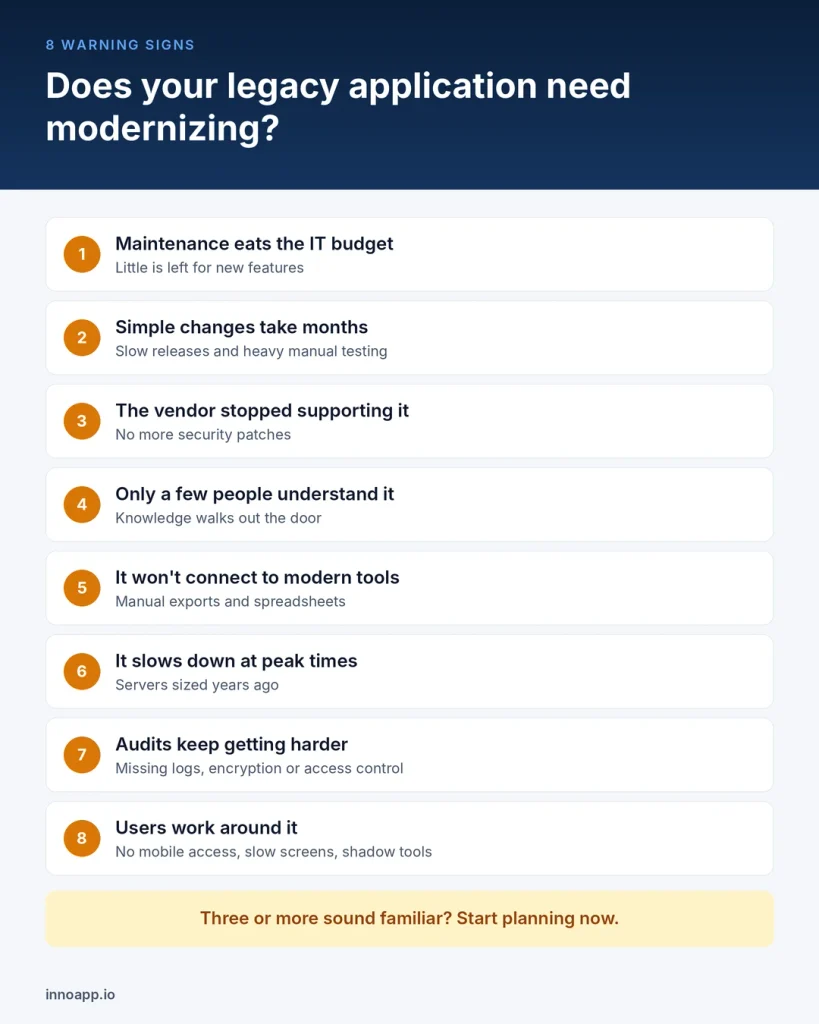
8 signs you need to modernize your legacy application
If three or more of these sound familiar, it is time to start planning. Waiting usually makes the eventual project bigger and riskier.
1. Maintenance eats most of your IT budget
When most of the budget goes to keeping old systems alive, little is left for new features or innovation.
- Check: what share of IT spend goes to running and fixing existing systems versus building new ones.
2. Simple changes take weeks or months
If adding a field or a report needs a long release cycle and heavy manual testing, the system is slowing the business down.
- Check: the average time from a change request to that change running in production.
3. The vendor no longer supports it
An unsupported operating system, database or framework stops receiving security patches. Every month on it widens your attack surface.
- Check: end-of-support dates for every layer, from hardware and OS to database, runtime and libraries.
4. Only a few people understand the code
When knowledge sits with one or two long-serving engineers, every holiday or resignation is a business risk. Skills in older languages are also getting harder and more expensive to hire.
- Check: how many people could fix a critical bug tonight without help.
5. It won’t connect to modern tools
Teams copy data by hand, export spreadsheets or run nightly batch files because the system has no APIs.
- Check: how many manual workarounds and custom scripts exist only to move data in and out.
6. It can’t scale or slows down at peak times
On-premise servers sized years ago struggle with today’s users, data volumes or seasonal peaks.
- Check: response times and outages during month-end, sales events or production peaks.
7. Compliance and audits keep getting harder
Old systems often lack audit logs, encryption or fine-grained access control that data protection rules now expect.
- Check: how many audit findings or compliance exceptions trace back to this system.
8. Users are working around it
No mobile access, slow screens and confusing workflows push staff and customers to unofficial tools.
- Check: user complaints, support tickets and shadow tools such as personal spreadsheets.
The cost of waiting
Legacy systems rarely fail overnight. Instead, they cost a little more each year and quietly block new work.
- Most of the budget goes to standing still. The US Government Accountability Office found that about 80% of the federal government’s $100+ billion yearly IT spend goes to running and maintaining existing systems. Its 11 most critical legacy systems are 23 to 60 years old and cost about $754 million a year to operate (GAO, July 2025).
- Technical debt taxes every new project. In a McKinsey survey of 50 CIOs, tech debt made up 20 to 40% of the value of their technology estate, and 10 to 20% of the budget meant for new products was diverted to dealing with it (McKinsey, 2020).
- The debt keeps growing. In the same survey, 60% of CIOs said their tech debt had grown noticeably over the previous three years.
There are also costs that never show up as a line item: security breaches through unpatched software, outages during peak trading, engineers who leave rather than maintain old code, and products you can’t launch because the core system can’t support them.
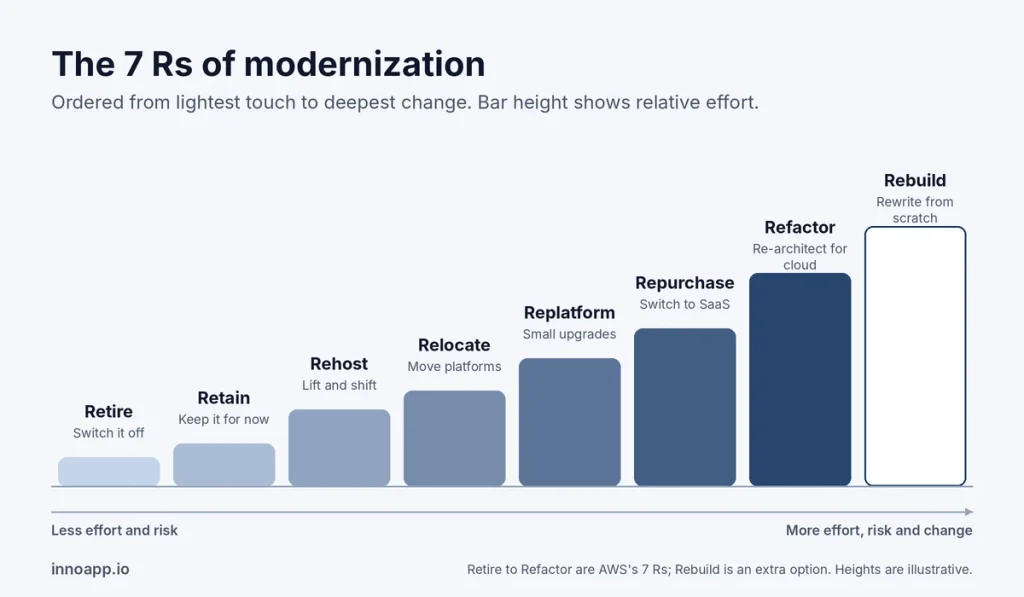
Modernization approaches: the 7 Rs
You don’t have to rewrite everything. Most companies use a mix of approaches, picking one per application based on its business value and condition. AWS groups them into the 7 Rs of migration, listed here from lightest to heaviest.
| Approach | What it means | Effort and risk | Best when |
|---|---|---|---|
| Retire | Switch off applications nobody needs | Very low | Usage is low or another system does the same job |
| Retain | Keep it as it is and revisit later | None for now | It works well, was recently upgraded or is too risky to touch yet |
| Rehost (lift and shift) | Move it to the cloud without code changes | Low | You need to leave a data centre fast or want a quick cost win |
| Relocate | Move servers to another cloud platform, region or account unchanged | Low | The app is already virtualized or in the cloud |
| Replatform (lift and reshape) | Move it with small upgrades, such as a managed database or containers | Low to medium | You want cloud benefits without rewriting code |
| Repurchase (drop and shop) | Replace it with a SaaS or off-the-shelf product | Medium | The function is standard, such as HR, CRM or email |
| Refactor or re-architect | Restructure the code to use cloud-native features, such as microservices | High | It is a core app that must scale and change fast |
Some teams add an eighth option, rebuild: rewriting the application from scratch while keeping its business rules. It carries the highest cost and risk, so save it for systems whose code can no longer be maintained.
For large portfolios, AWS advises moving applications first (rehost, relocate or replatform) and modernizing them after migration, rather than doing both at once.
How to start: a step-by-step modernization roadmap
The safest modernization projects start small, deliver value early and replace the old system piece by piece. Here is a roadmap you can follow.
- List every application you run. Note the owner, users, tech stack, hosting, yearly cost and which systems it connects to.
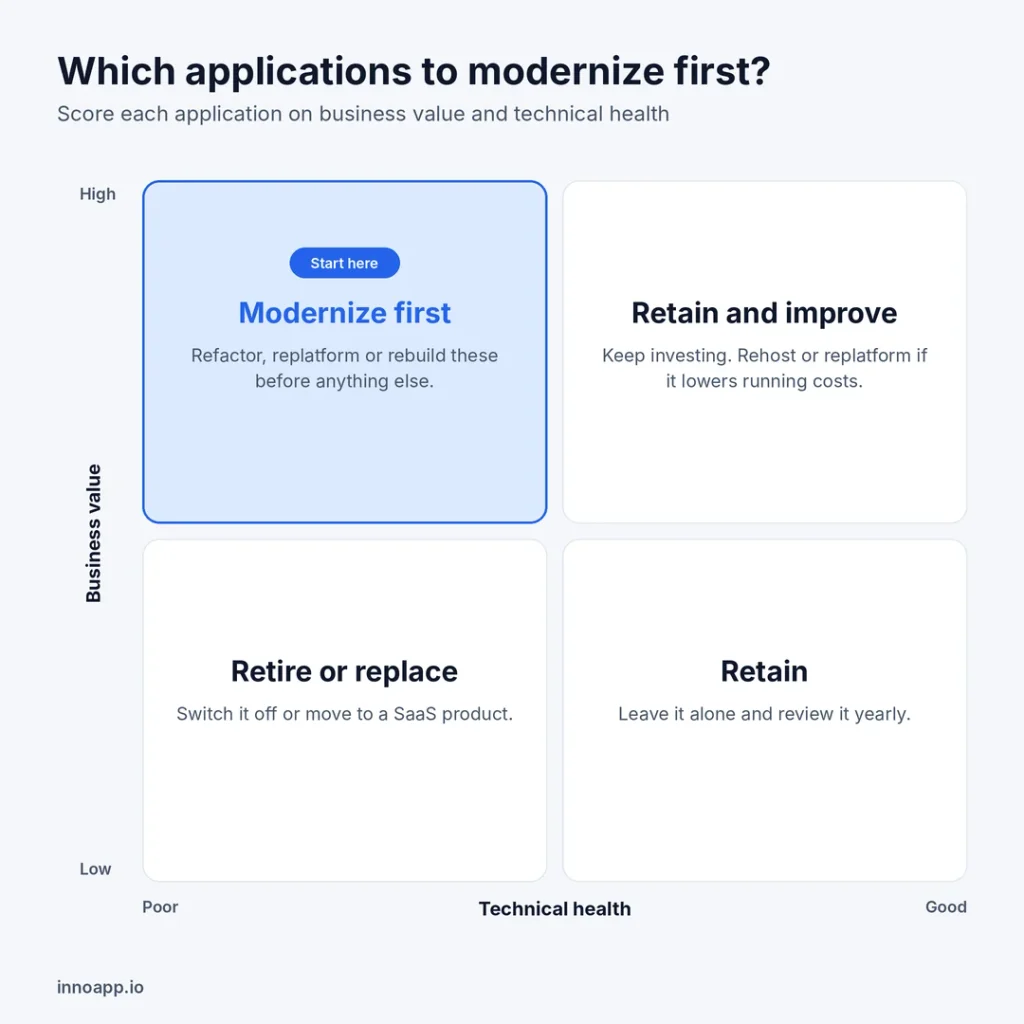
- Score each one on business value and technical health. High-value apps in poor health are your first candidates. Low-value apps in poor health are candidates to retire or replace with SaaS.
- Set goals you can measure. For example: cut hosting costs by a set amount, shorten release time from months to weeks or close specific audit findings.
- Choose an approach for each app. Use the 7 Rs above. Different apps in the same company often need different approaches.
- Start with a pilot. Pick one module that is visible to the business but low risk, such as reporting or a customer portal. An early win builds support for the bigger steps.
- Modernize in small slices. Replace one feature at a time while the old system keeps running (see the strangler fig pattern below).
- Put tests and CI/CD in place early. Automated tests and deployment pipelines make every later change safer and faster.
- Migrate data carefully. Clean it, validate it, run old and new systems in parallel for a period and keep a rollback plan.
- Switch off the old system and measure results. Compare cost, speed and stability against the goals you set in step 3.
The strangler fig pattern
The strangler fig pattern is the most common way to modernize without a risky “big bang” switchover. A routing layer sits in front of the old system. As each feature is rebuilt, traffic for that feature moves to the new system, until nothing is left in the old one and it can be switched off. Because both systems run side by side, you can roll back at any point (Microsoft Azure Architecture Center).
Common mistakes and how to avoid them
Most failed modernization projects fail for the same few reasons, and each one is avoidable.
| Mistake | Why it hurts | How to avoid it |
|---|---|---|
| A “big bang” rewrite | Years pass before any value ships, and the cutover is high risk | Modernize in slices with the strangler fig pattern |
| Treating it as an IT-only project | The new system copies old workflows nobody actually wants | Involve business owners and users from day one |
| Moving to the cloud with no changes, then stopping | Costs can rise while the old problems stay | Treat rehosting as step one, then optimize |
| Underestimating data migration | Bad or missing data breaks the new system on launch day | Profile, clean and test data early; run systems in parallel |
| Losing hidden business rules | Logic buried in old code or stored procedures disappears | Document rules with the people who use the system before changing it |
| No success metrics | Nobody can prove the project paid off | Set measurable goals in the first month and report on them |
How InnoApp helps you modernize
InnoApp Software Systems is a product engineering company based in Chennai, India. We help enterprises move off outdated systems step by step, without stopping the business.
- Cloud assessment: we review your infrastructure and applications, then give you a roadmap matched to your business goals (Cloud Engineering).
- Migration and cloud-native development: we move existing applications to the cloud or rebuild them as cloud-native or cloud-agnostic apps, across on-premise, cloud and multi-cloud setups.
- DevOps and CI/CD: we set up the pipelines that make releases faster and safer.
- Business application modernization: we modernize and connect ERP, CRM and other enterprise systems (Business Application Services).
- Industry focus: manufacturing, automotive, semiconductor, retail, telecom and BFSI.
[Add before publishing]: one real modernization result: the client’s industry, the system you modernized, how long it took and one measurable outcome (cost, release speed or uptime).
FAQs
What is the difference between legacy migration and modernization?
Migration moves an application to a new environment, such as from your own servers to the cloud, often without changing it. Modernization changes the application itself (its code, architecture or data) so it is easier to run, secure and improve.
How long does legacy application modernization take?
A single rehost can take a few weeks. A full re-architecture of a core system usually takes many months to a few years. Modernizing in small slices means you see results within the first few months.
How much does legacy modernization cost?
It depends on the size of the system, the approach and the amount of data. Rehosting is the cheapest; refactoring or rebuilding costs the most. A paid assessment of a few weeks gives you a reliable estimate before you commit.
Can we modernize without disrupting the business?
Yes. Approaches such as the strangler fig pattern keep the old system running while new parts take over one at a time, with the option to roll back.
Should we rebuild or refactor our legacy system?
Refactor when the business logic is sound and the code can be improved in place. Rebuild only when the code is no longer maintainable or the architecture cannot support what the business needs.
What are the 7 Rs of modernization?
Retire, retain, rehost, relocate, replatform, repurchase and refactor (or re-architect). They range from switching an app off to redesigning it for the cloud.